Our PIN system completely protects your account, allowing you to safely share your password with your friends.
- The first step is to access ALT + B > Character: Personal Settings > Click on [MANAGE].

- Now you must follow the steps to register your Telegram account. If you already have a registered Telegram account, skip the steps up to /PIN.
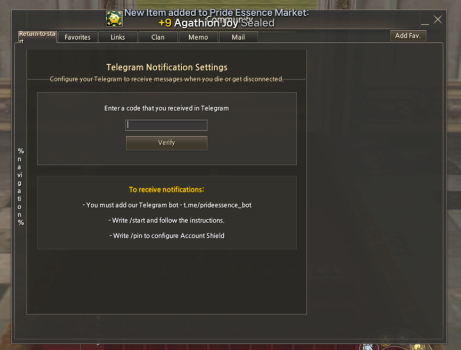
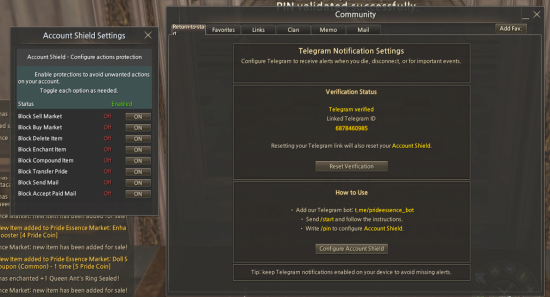
- After verification, your screen will look like this.
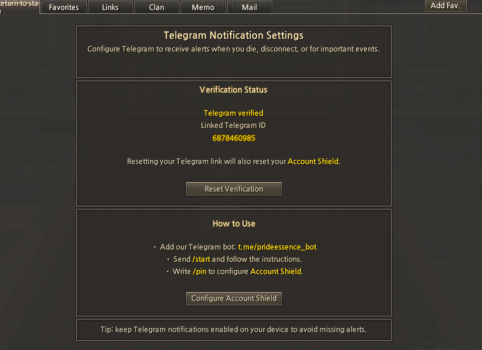
- Now, in your Telegram app, type the command /pin to begin the process.
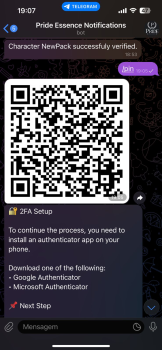
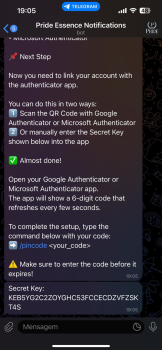
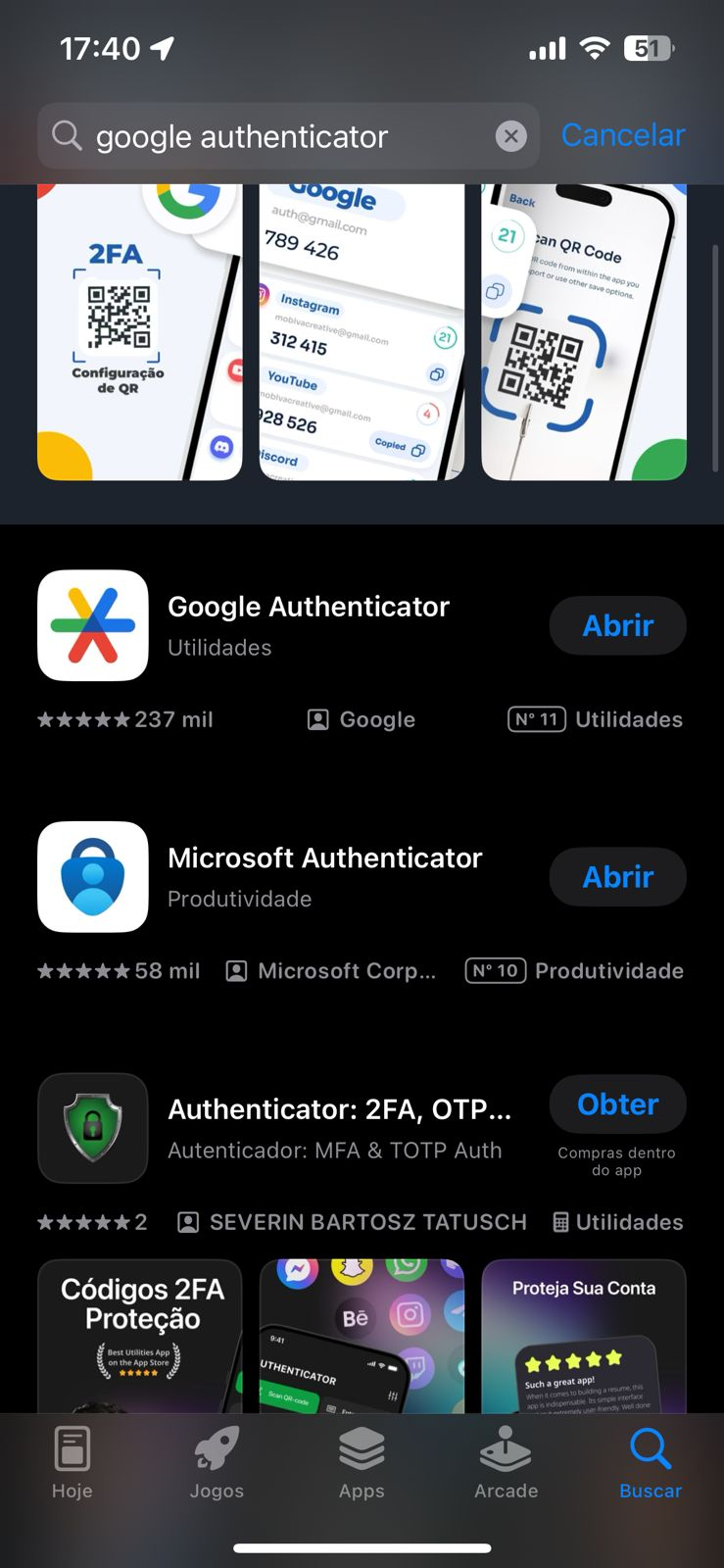
- You will receive step-by-step instructions on how to download an authenticator app. You can use Google Authenticator or Microsoft Authenticator, available on the iOS and Android app stores.
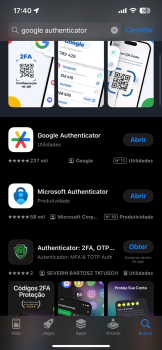
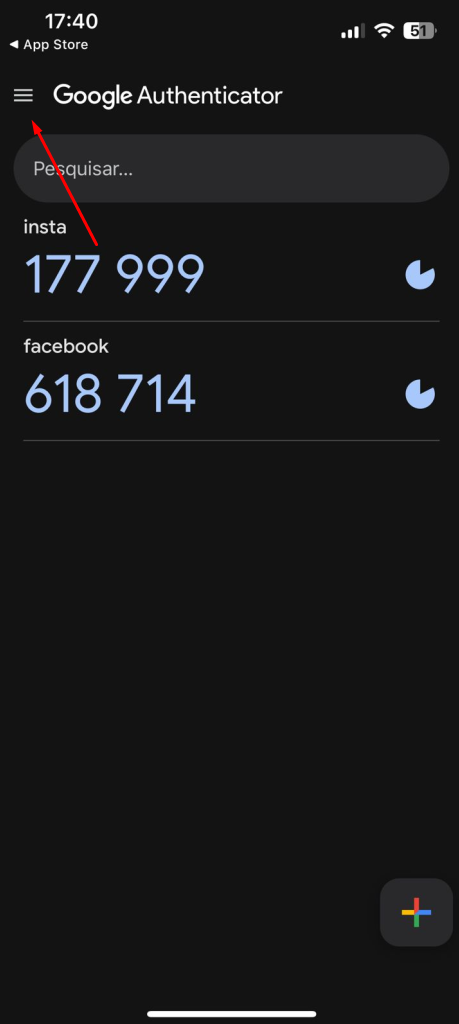
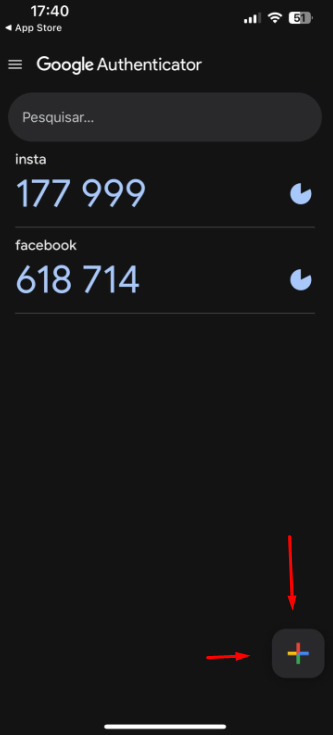
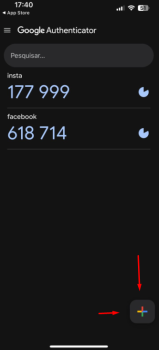
- Access the app below and select the Add New Account option
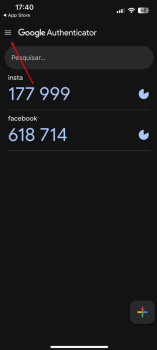
- Access the app below and look for the Add New Account option.
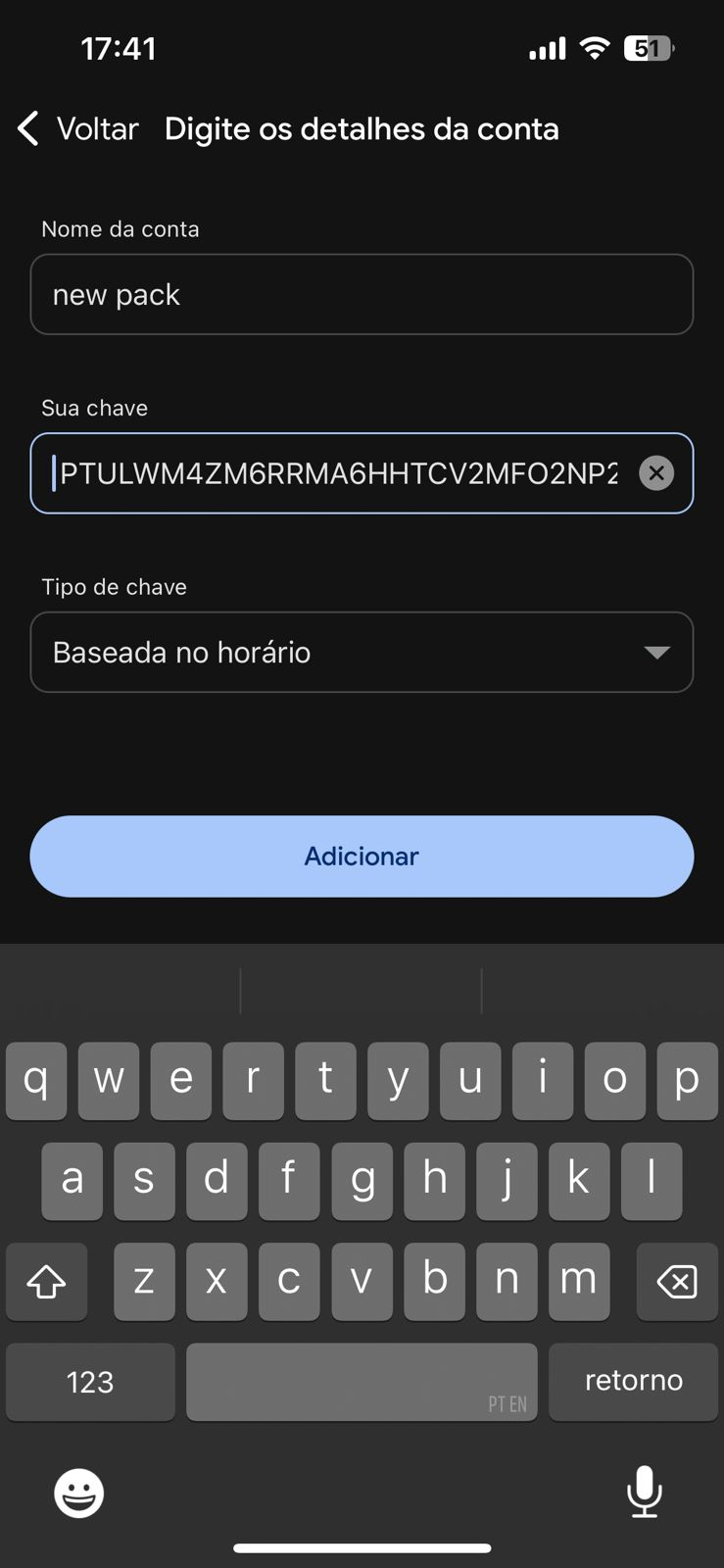
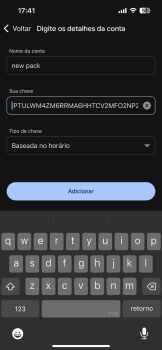
- Add the name and Secret Key you received in the Telegram message, as shown in the example below.
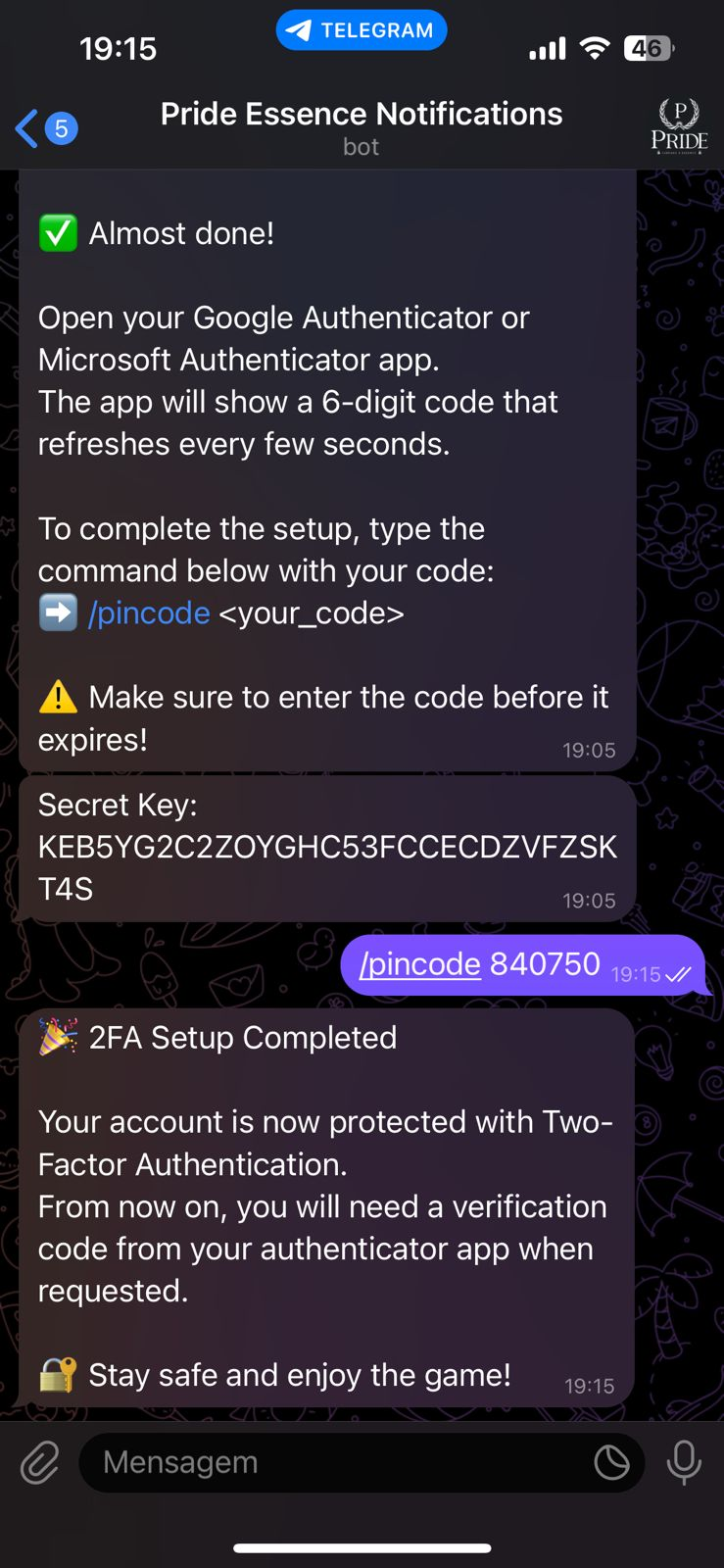
- Now that you have registered your PIN key, go back to Telegram and run the command
/pincode + PIN.
Example:/pincode 696165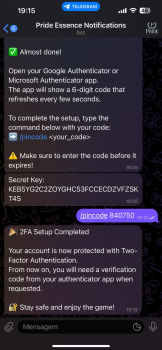
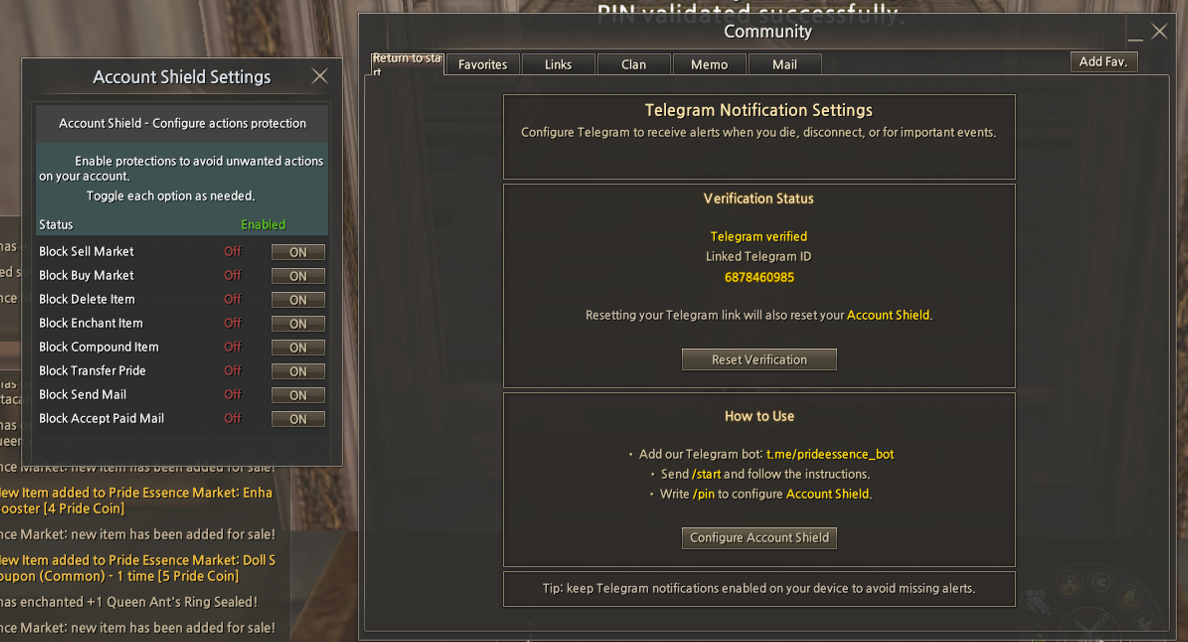
- Now return to the game. Your PIN is already registered, and you can configure what you want to block on your account.
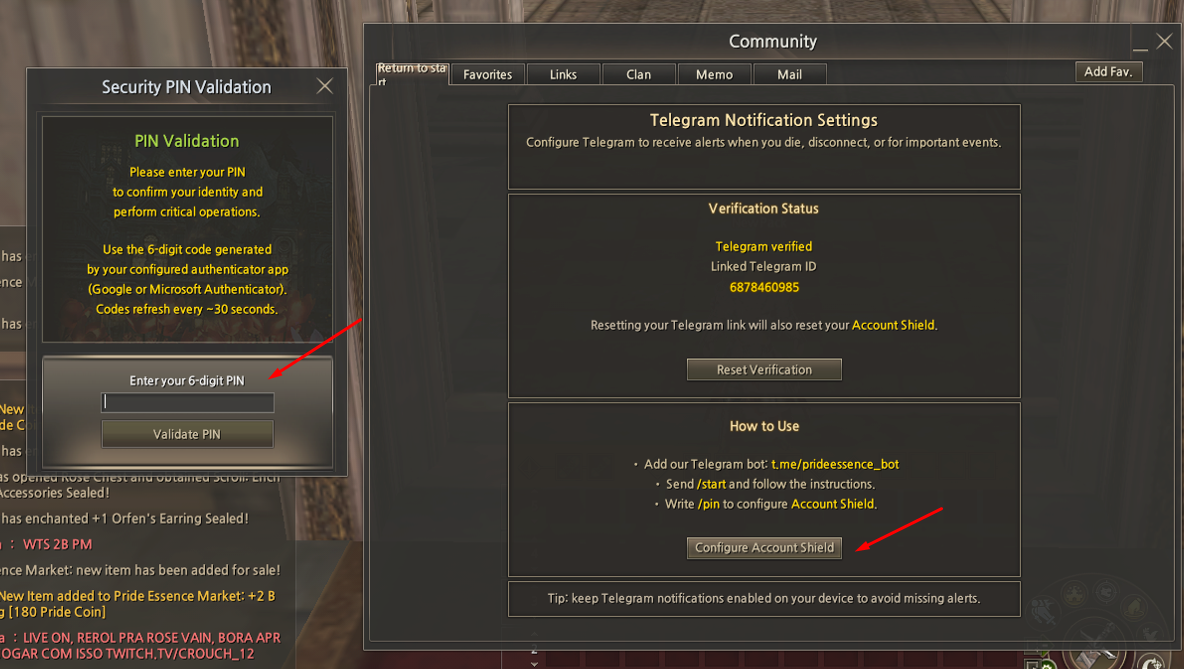
- Click on Configure Account Shield and enter the PIN currently displayed in your Google or Microsoft Authenticator.
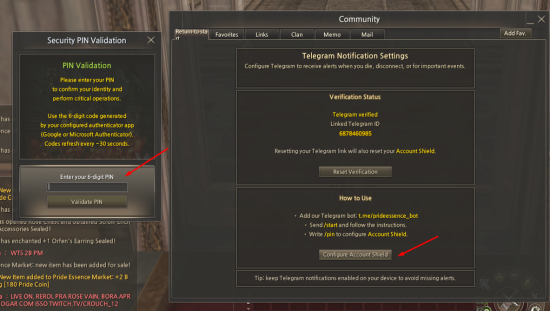
- You can configure several functions to be blocked. After predefining any function from the list, whenever it is performed, the system will require the PIN generated by Google or Microsoft Authenticator.
After configuring, simply restart your account for the PIN to become active.